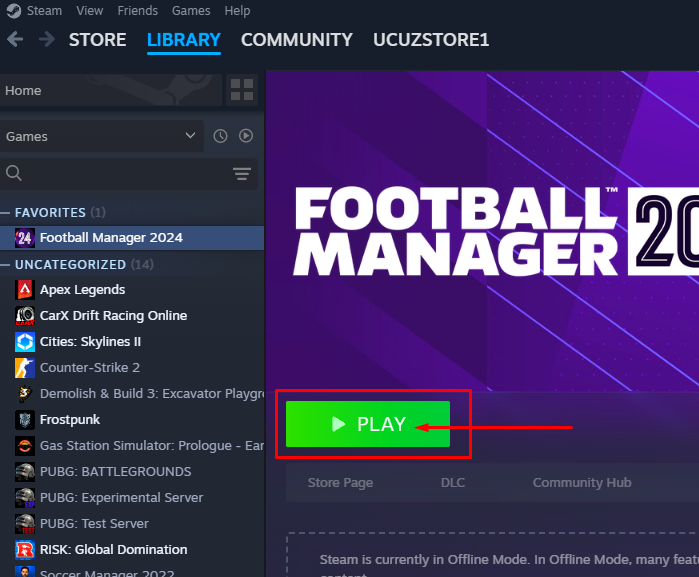
Login Instructions for Steam and EA accounts
You must download Steam and EA. If you already have them, log out from your own account.
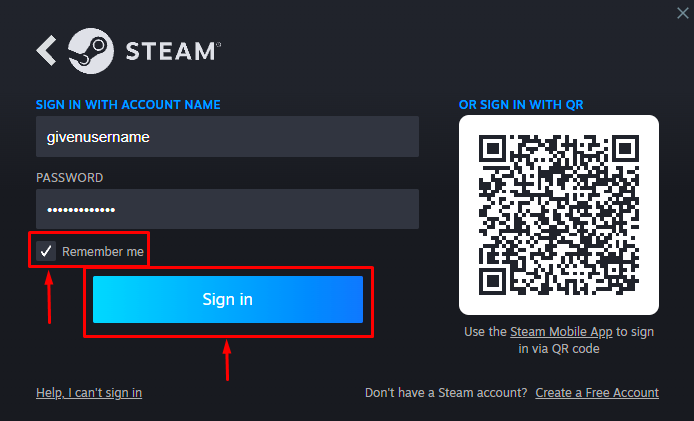
Please log in to Steam using the provided username and password, and be sure to check the ‘Remember Me’ box.
When switching between accounts on Steam, please ensure you only use Steam’s “Change Account” feature on the top left corner “Steam”. This will help prevent issues and ensure a smooth transition between accounts.
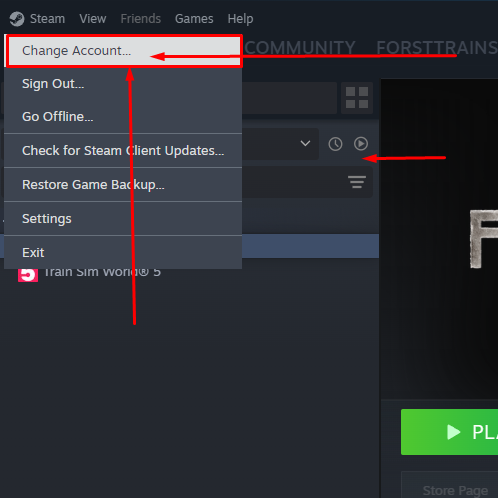
After clicking on Steam, navigate to the Settings section.
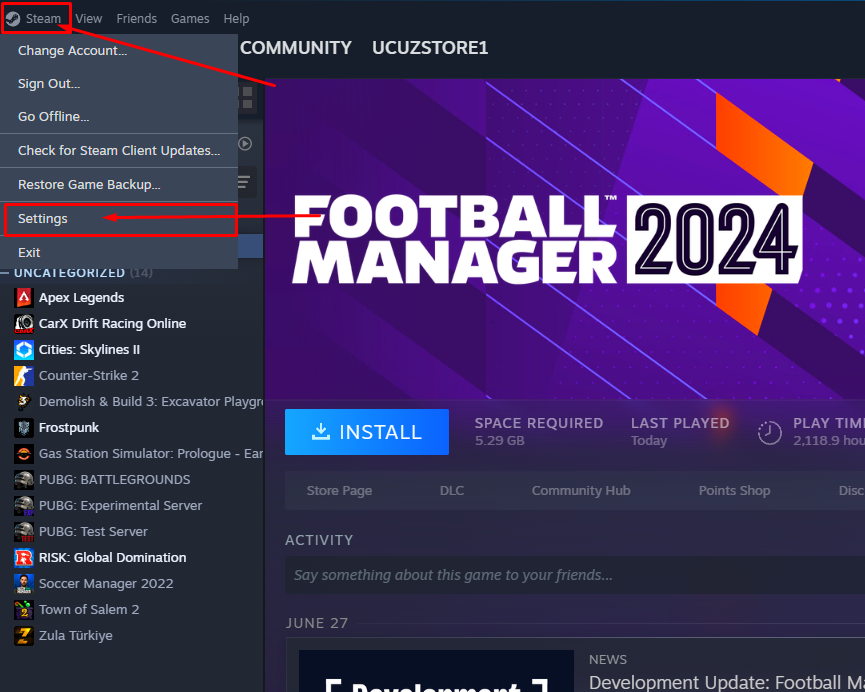
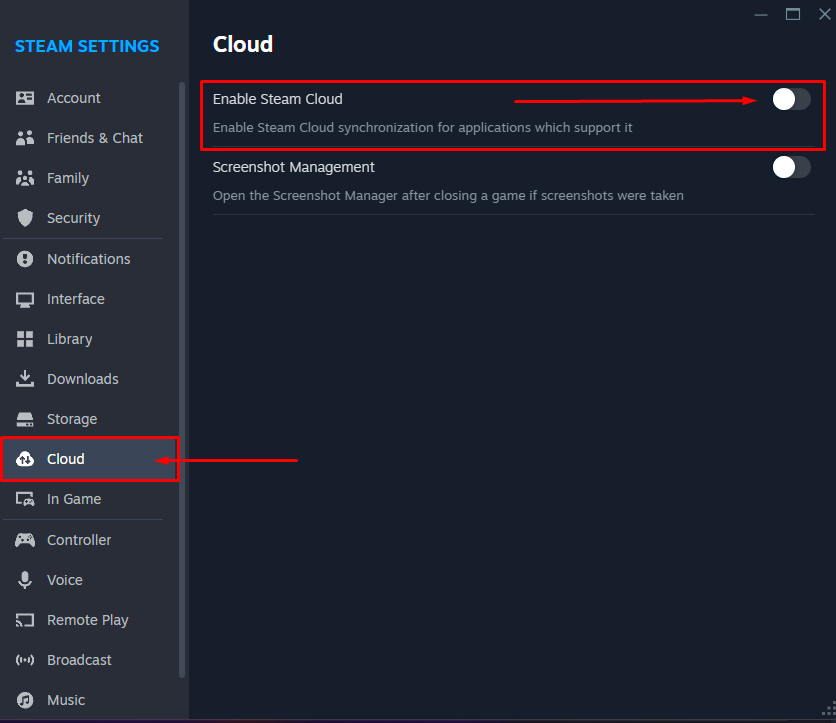
In the window that opens, go to the Cloud tab and then disable Steam Cloud.
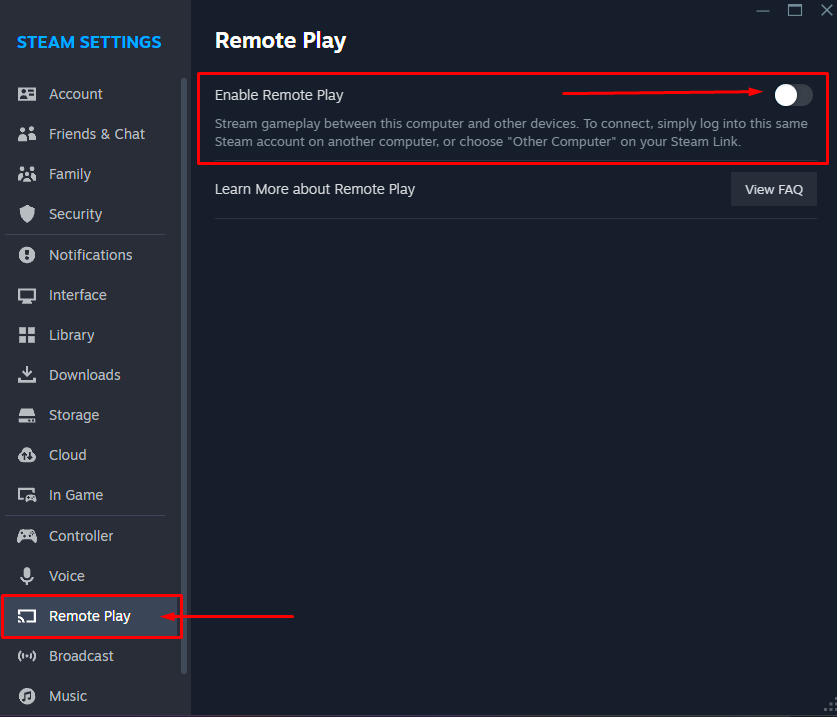
Navigate to the Remote Play section and disable Remote Play.
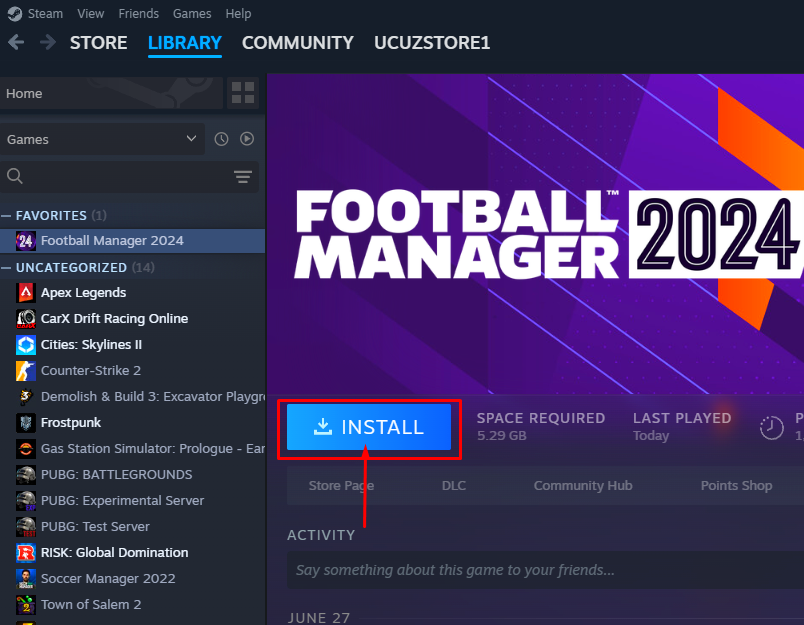
Install the game that you purchased.
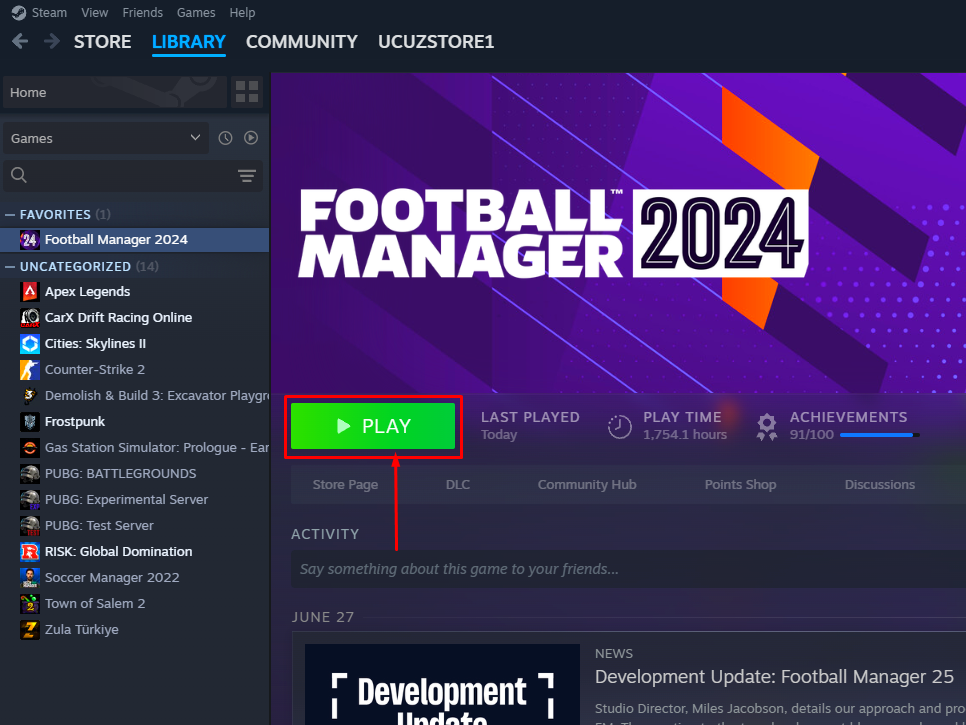
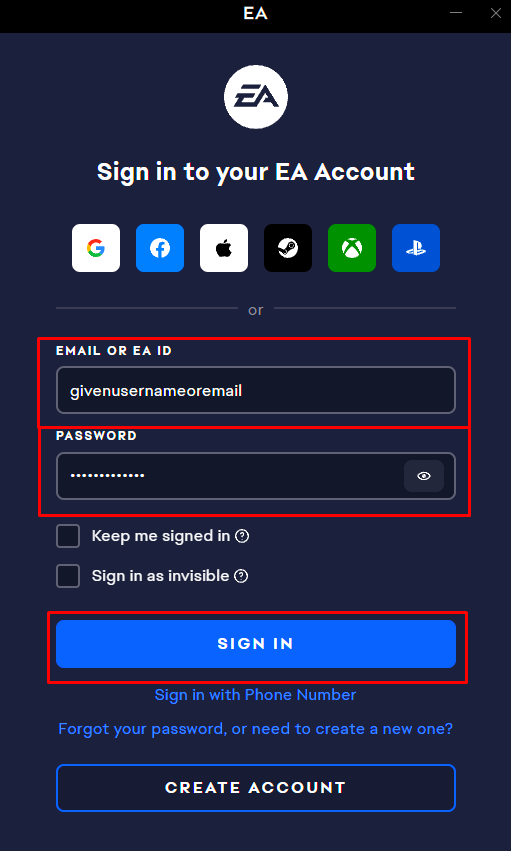
Enter the game and wait for 30 seconds to 1 minute. The EA application should open automatically and connect to the game account automatically. If it does not connect, please log in yourself using the provided information. Then close the game (you can use the Alt+F4 combination or exit from within the game).
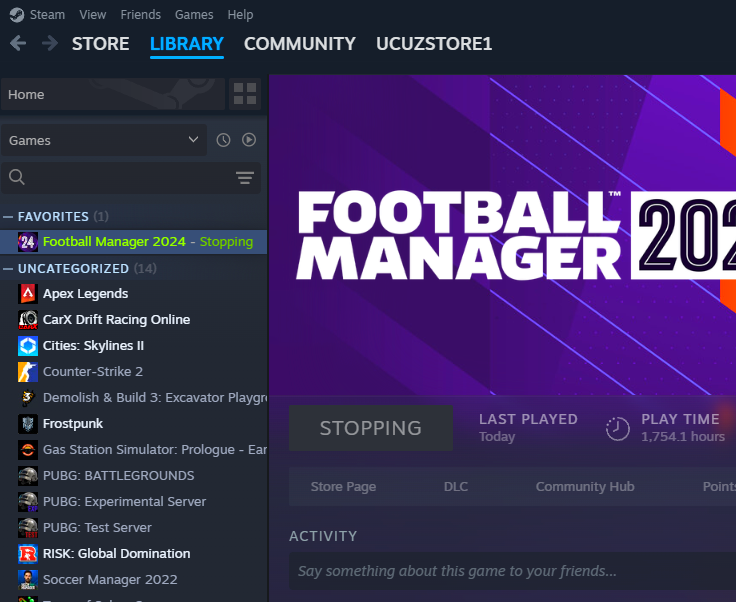
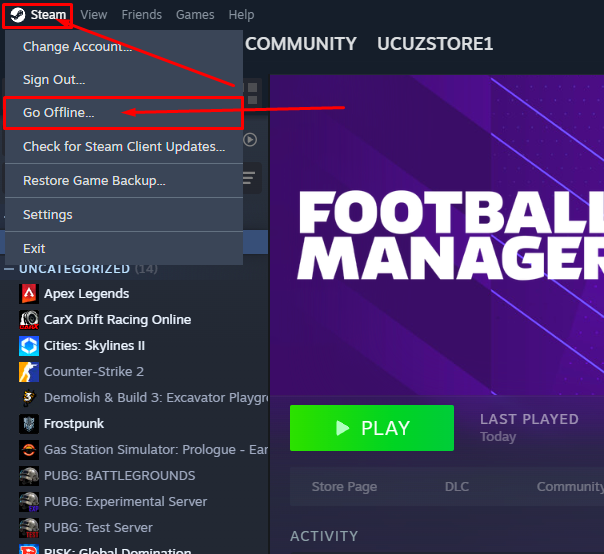
Go back to the Steam tab and click on Go Offline…
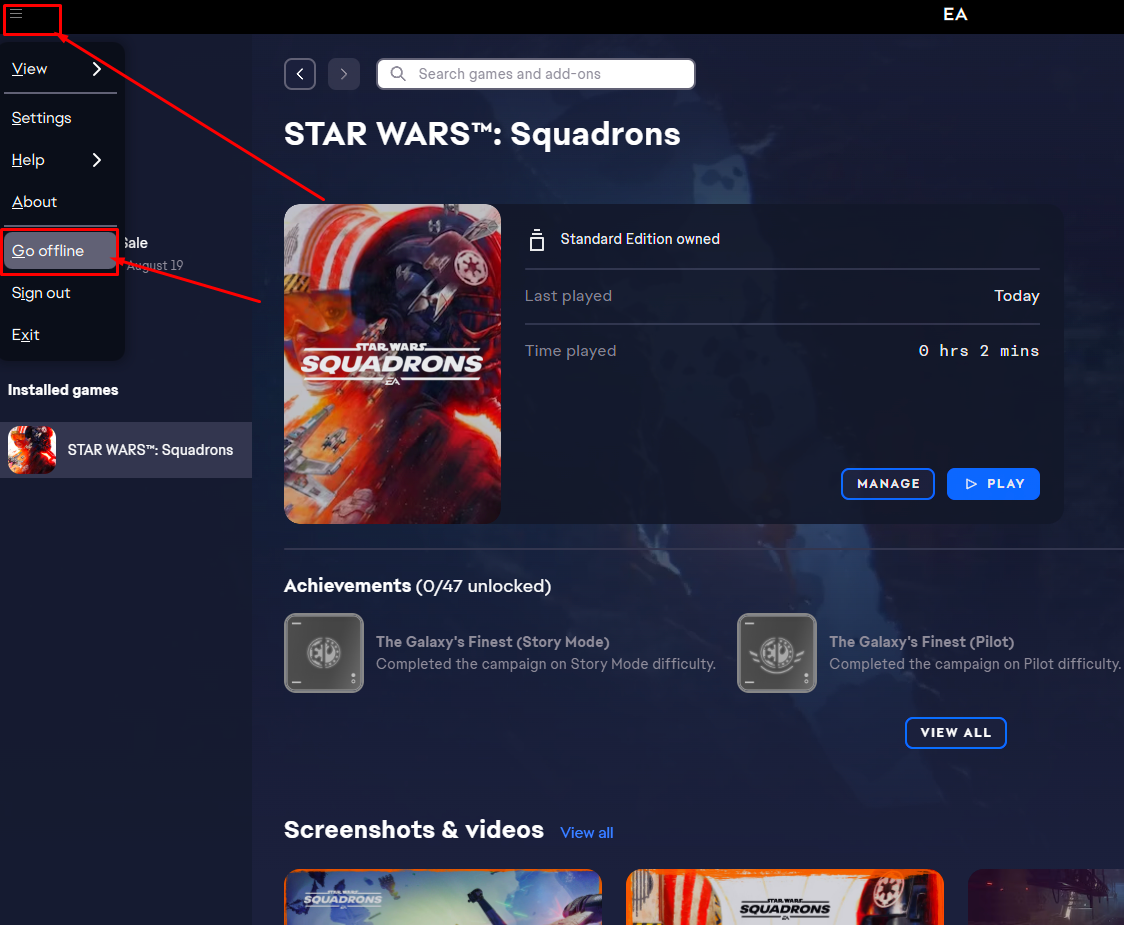
Go back to the EA App and go offline.
You’re now ready to play the game, have fun!